From quote to installed glass — one connected job.
Glass Pro carries the same job through the quote, field measurement, design, production drawings, supplier orders and installation. Dimensions are entered once — and used everywhere after.
Register your company for launch — no account, no payment
We notify you when Glass Pro opens in your country and language
Then create your account and start a 7-day free trial
Early-registration benefit: €50 toward your first annual plan
SHOT 02 · Screenshot pendingField measurement on the phoneMobile app, opened product, AI voice strip with a recognised value awaiting confirmation (demo job).
Real Glass Pro screens and output from a demo job.
A typical job today
The same measurements pass through one tool after another — and get typed again along the way.
Paper sketch
WhatsApp photos
Excel
Calculator
CAD
PDF
Email to the factory
“Did it arrive?”
Glass Pro keeps all of it as one job.
How it works
One job. Start to finish.
Follow one corner shower through Glass Pro. Nothing is re-entered — every step adds to the same job.
Create the client, add rooms and products, and describe the work in plain words. Glass Pro structures the description into products; prices come from your own price lists and calculators — never from AI. Send the quote as a link and the customer approves online. The approved quote simply continues as the job.
Client, rooms and products
Plain-language description, structured
Quote PDF and online approval
SHOT 04 · Screenshot pendingQuote editorRooms, products and the plain-language description turned into quote lines (demo data).
The measurer opens the same job on site. The room and the product are already there, so each dimension goes straight into the product — typed, or spoken and then confirmed. The measured values replace the quote’s estimates and continue into design.
The paper way
Draw the shower on paper
Measure one dimension
Walk back to the sheet and write it
Measure again, write again — for every dimension
Hand the notes to the office
Someone types them in again
↻ repeat
In Glass Pro
Room and product are already in the job
Each dimension goes straight into the product
Type it — or say it, then confirm the value
The measured product continues into design
Voice input in the current build understands Hebrew, English and Russian. Every value is shown for confirmation before it is saved.
Measurement step in the Engine
SHOT 02 · Screenshot pendingField measurement on the phoneMobile app, opened product, AI voice strip with a recognised value awaiting confirmation (demo job).
+ Measured on site: walls + height+ Quote estimates replaced
03 Design · Shower enclosure design
Measurements become production geometry.
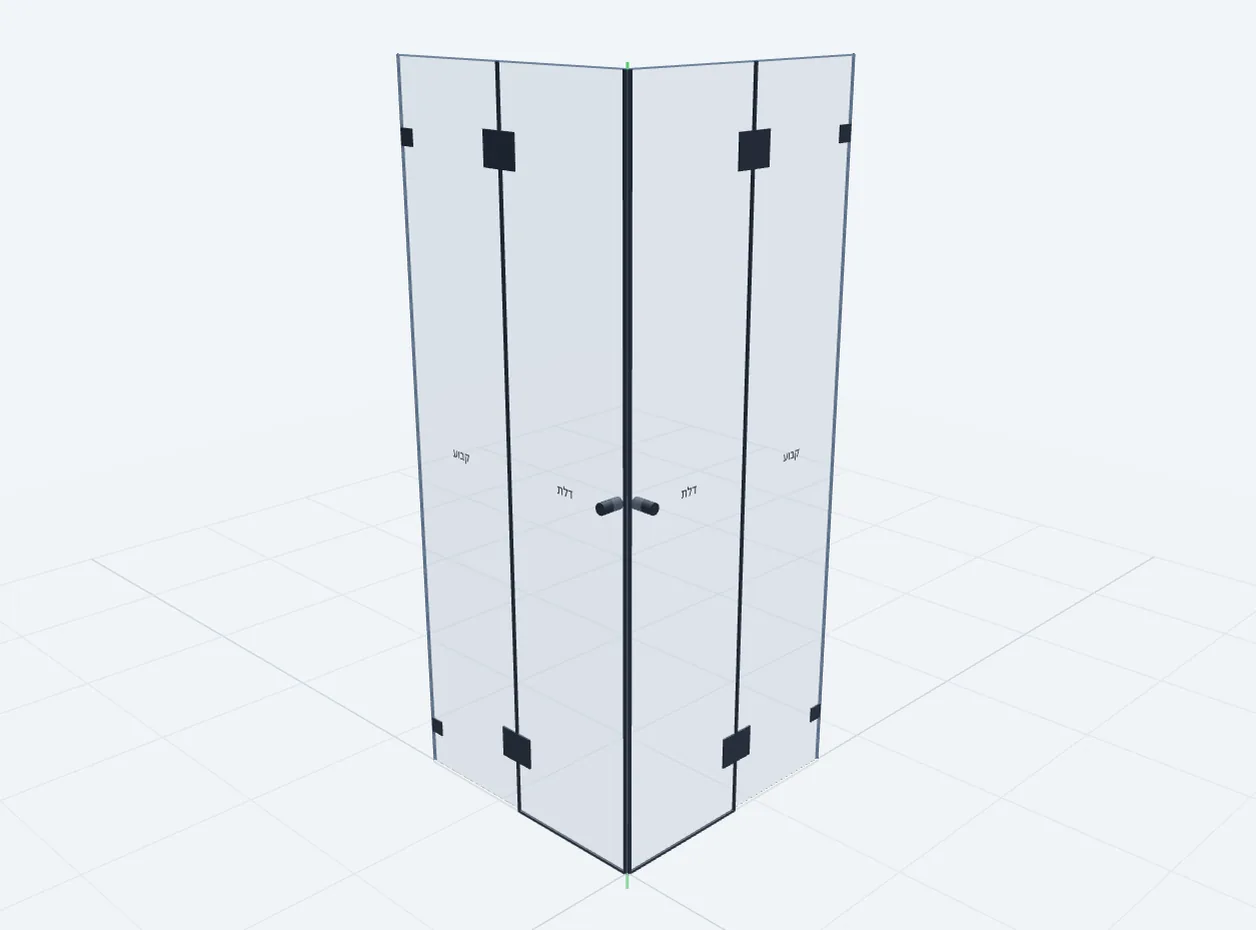
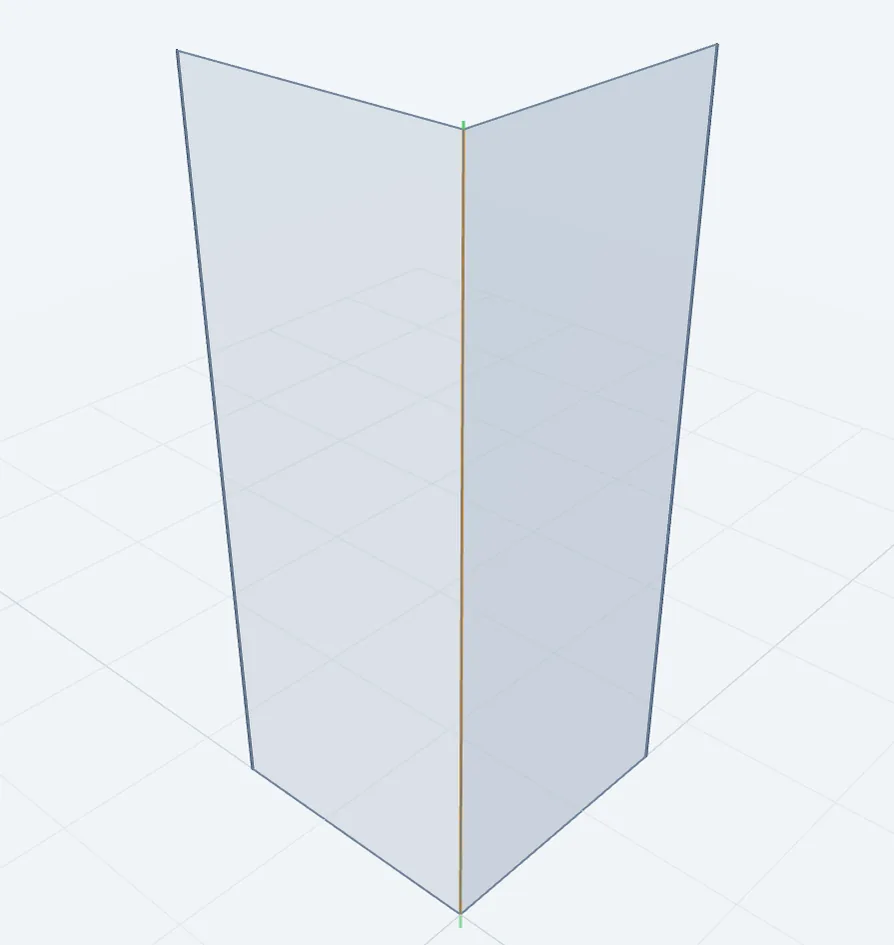
The Engine turns the measured walls into glass panels, doors, hinge and handle positions and dimensions — in 2D and 3D. You review and adjust. You don’t redraw.
Drawings, hardware and orders — from the same design.
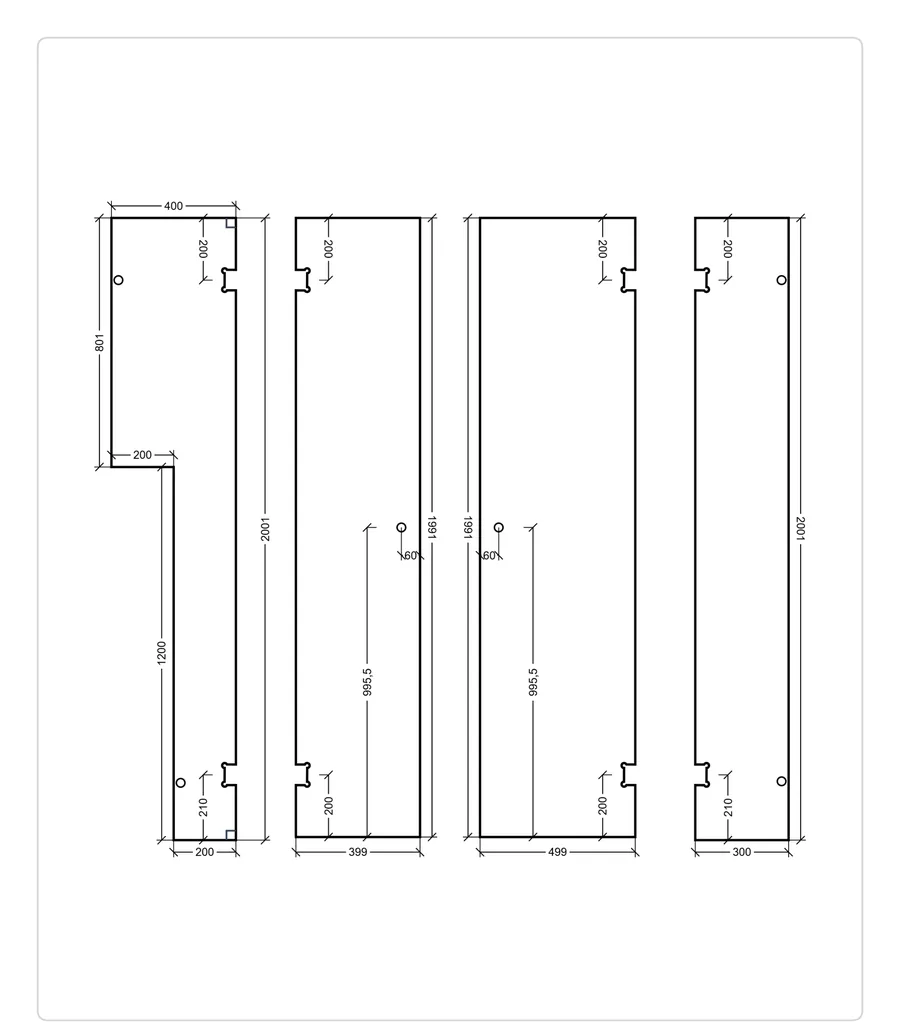
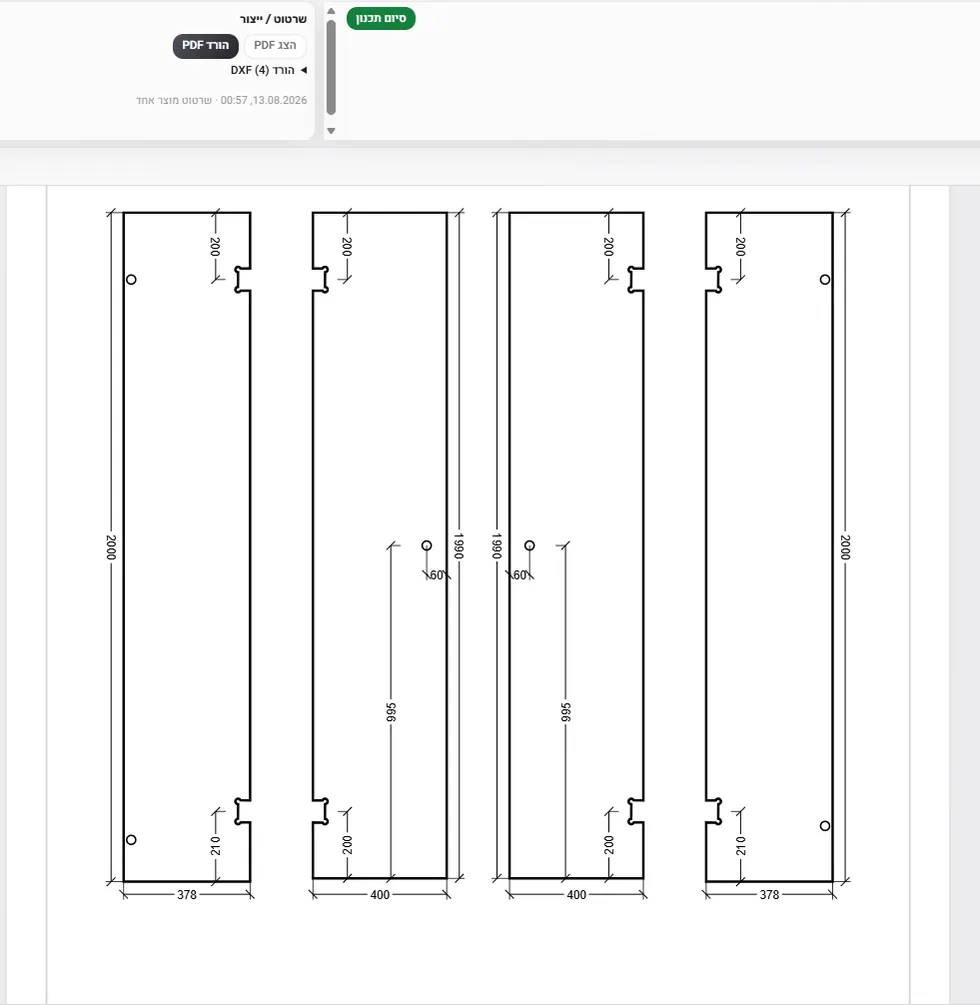
The production drawing PDF, a DXF for every panel and the hardware list come straight out of the design. Order glass and hardware from the job; your supplier confirms through a link and the status updates on the job.
Drawings tab — PDF and DXF (4) ready
+ Production drawing PDF · DXF per panel+ Hardware list+ Glass & hardware ordered → confirmed
05 Install · Job scheduling & installation
The installer gets the job — not a forwarded chat.
The visit lands on the installer’s route for the day, with the address, drawings and documents in the mobile app. Return visits are tracked on the same job.
SHOT 03 · Screenshot pendingInstaller’s route for the dayMobile app: today’s visits in order, next visit with address and documents (demo data).
+ On the installer’s route+ Installed
AI understands the job. The Engine does the engineering.
AI is used where people describe things in their own words. Everything that must be exact is calculated.
AI helps with
Reading a plain-language description of the work and structuring it into rooms and products
Understanding spoken dimensions during measurement — you confirm every value
Transcribing customer voice notes in WhatsApp
The Engine and your calculators handle
Glass geometry, panels and doors
Hardware rules, positions and deductions
Prices — from your own price lists
Real output
What your factory actually receives.
Production drawings, hardware lists and DXF files — generated by Glass Pro for a demo job. Nothing redrawn for this page.
Production drawing · page 1
Production drawing · page 2
Hardware list for the order
SHOT 08 · Screenshot pendingDXF of one panelPanel DXF opened in the built-in CAD viewer — contour, cut-outs, holes.
DXF of one panel
SHOT 09 · Screenshot pendingShop drawing sheet (A3)CAD Workspace sheet with 2–3 viewports and title block, exported to PDF.
Shop drawing sheet (A3)
Demo customer and address. The demo company’s logo is cropped out of these captures. Interface shown in Hebrew.
Messages
Every conversation, next to its job.
Today
WhatsApp
CRM
Find the customer
Find the project
Open the folder
Find the PDF
Back to WhatsApp
In Glass Pro
Conversation
Customer & job
Documents
Send
WhatsApp and email in one place, linked to the client and the job
Send the drawing, PDF or DXF from the job’s files without leaving the conversation
Open DWG/DXF attachments in the built-in CAD viewer, snapshot and send back
Customer voice notes transcribed next to the message
WhatsApp requires connecting your company’s WhatsApp Business account. Email works with Gmail.
SHOT 11 · Screenshot pendingMessages with job contextConversation, the job panel beside it and a DWG/PDF card in the thread (demo conversation only).
Office & field
The office prepares the job. The field works the same job.
Two working tools of one company — on the same jobs, at the same time.
Web Office
For the office — desktop and laptop
Clients & jobsEvery client, room and product in one job.
Quotes & approvalsQuote PDF and online customer approval.
Design in the Engine2D and 3D glass geometry, doors and hardware.
Estimated time Glass Pro can return to one working glazier
about 8 working weeks of 40 hours
Benchmark: one glazier running a small shower-glass business — 4 jobs a week, 46 working weeks a year.
vs
€550/ year
Standard annual subscription
1 Web Office + 1 Mobile App
€500 for the first year with the early-registration benefit
A transparent estimate, not measured customer data. Every assumption is shown.
Pricing
One simple plan.
Everything in Glass Pro. Pay for the people who use it.
€50/ month
or€550 / year one month included
Web Office runs the job. Mobile App works it in the field.
Web Office
Included
Quotes & approvals
Design in the Engine
Production drawings & DXF
Hardware lists
CAD Workspace & shop drawings
Supplier orders
Messages, files & planning
Mobile App
Included
Today’s jobs & route
Field measurement
Voice-assisted input where supported
Installation work
Drawings & documents on site
Job & customer context
7-day free trial
When Glass Pro opens in your market, you can start with a 7-day free trial for up to 5 people. Registering now does not start it.
Annual billing, without the fine print
Base plan paid monthly for a year
€50 × 12
€600
Standard annual — one base month included
€50 × 11
€550
Early-registration benefit
− €50
Your first annual year
€550 − €50
€500
From the second year: €550 / year — the standard annual price, unless pricing changes. Companies that register before public launch receive a one-time €50 benefit toward the base subscription of their first annual plan. Nothing is charged or credited now.
Additional access
Additional Web Office access
+ €20 / month
Additional Mobile App access
+ €10 / month
Additional access is billed monthly. No annual discount applies to it.
Your team
People in the office
People in the field
Monthly
€50 / month
Standard annual
€550 / year
Prices exclude VAT. Pricing is for information only — there is no payment or checkout on this site.
Launch registration
Register now. We’ll tell you when Glass Pro opens for you.
Glass Pro is opening market by market and language by language. Leave your company’s details today — we’ll notify you as soon as Glass Pro is available in your country and language.
1
Register
Leave your company and contact details. No account, no password, no payment.
2
We save your details
Your registration is kept only to notify you and to plan the rollout.
3
Your market opens
We email you when Glass Pro becomes available in your country and language.
4
Create your account
Then you create your real Glass Pro account and set your own password.
5
7 days free
Your free trial starts when you create your account — not now.
6
Choose your plan
Monthly or annual. Your early-registration benefit applies to the first annual plan.
Early-registration benefit. Companies that register before public launch will receive an additional €50 toward the base subscription of their first annual plan — €500 instead of €550 for year one.
Is Glass Pro glass estimating software, a CAD program or a CRM?
It connects all three around the job. Quoting and estimating, field measurement, shower design, production drawings and ordering work on the same job — so you don’t move data between separate programs.
What does registering for launch mean?
You leave your company’s details — company, contact, country, language and expected team. No account is created yet. When Glass Pro opens for your country and language, we notify you and you can create your account.
When does my free trial start?
When Glass Pro opens in your market and you create your account. Registering for launch does not start a trial, however early you register.
What is the early-registration benefit?
Companies that register before public launch will receive a one-time €50 benefit toward the base subscription of their first annual plan: €500 for the first year instead of €550. Nothing is charged or credited now.
Which products does Glass Pro support today?
Shower enclosures are the core today — front and corner configurations with fixed panels and doors. Glass doors and mirrors are in progress. Other product families will follow.
Does AI set my prices?
No. AI helps structure descriptions and understand spoken dimensions. Prices come from your own price lists and Glass Pro’s calculators; geometry and hardware come from the Engine.
Do I need CAD skills to design showers?
No. You measure and review — the Engine produces the geometry, production drawings and DXF files. The CAD Workspace is there for when you receive DWG or DXF files from others.
Does Glass Pro produce shop drawings and DXF files for the factory?
Yes. Each product gets a production drawing PDF, a DXF per glass panel and a hardware list. In the CAD Workspace you can also lay out A4/A3 shop drawing sheets and export them to PDF.
Is there a mobile app?
Yes — a field app for measurers and installers. It is in early access; App Store and Google Play availability will be announced.
Do I pay anything now?
No. There is no payment, deposit or card on this site. Pricing is shown for information; billing is set up only after you create your account.
Register for launch.
Leave your company’s details. We’ll notify you when Glass Pro opens in your country and language — then you can create your account and start your free trial.
7-day free trial. When Glass Pro opens in your market, you can start with a 7-day free trial for up to 5 people. Registering now does not start it.
Early-registration benefit. Companies that register before public launch will receive an additional €50 toward the base subscription of their first annual plan — €500 instead of €550 for year one.
Thank you. We’ve saved your details.
We’ll notify you when Glass Pro becomes available for your country and preferred language.
Then you’ll be able to create your Glass Pro account and start your 7-day free trial.
Because you registered before launch, the €50 early-registration benefit will apply to your first annual plan.